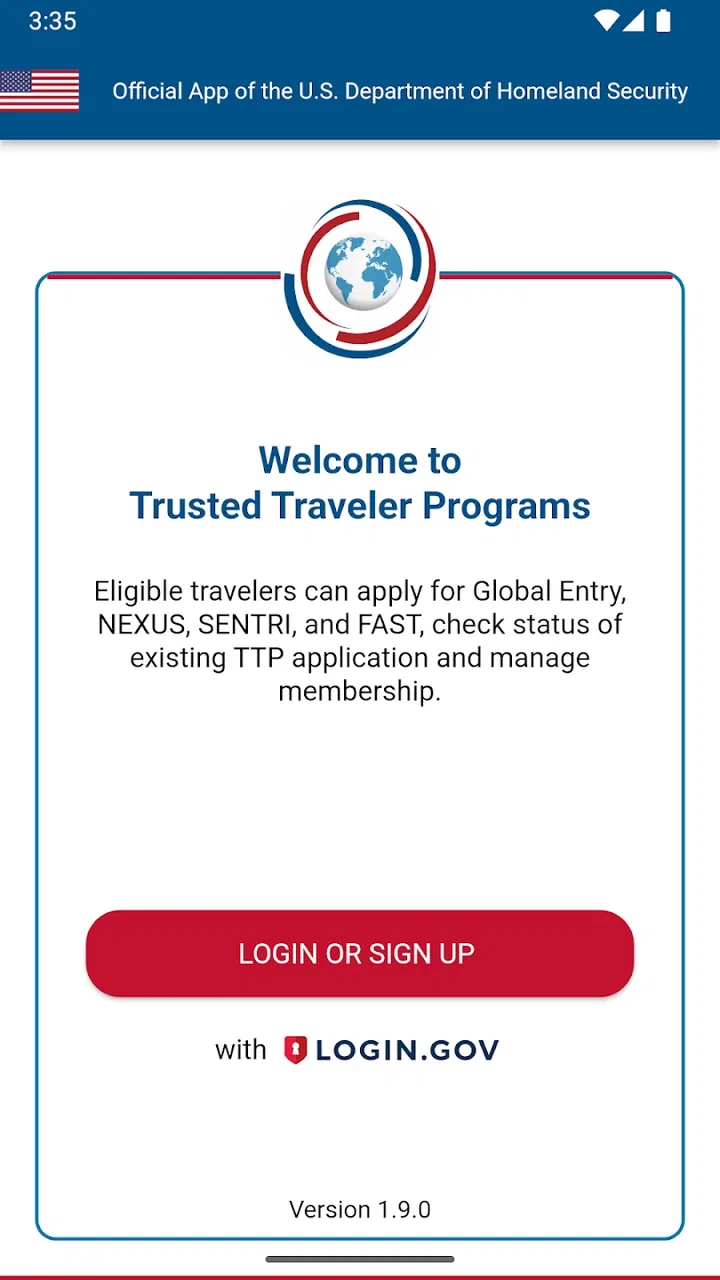
Trusted Traveler Programs
- 4.6
- Rating
- 100.00K
- Installs
- Free
- Price

 Analysis by App-foxy
Applying for a trusted-traveler membership is the sort of task I would rather handle carefully once than rush through and repeat later. Trusted Traveler Programs is a free Travel & Local app from U.S. Customs and Border Protection that brings membership applications and account management into one mobile workflow. I found its value less in flashy presentation and more in having a focused place to work through an official travel-related process.
The app is aimed at people who are applying for or already managing membership in Trusted Traveler Programs. That makes it quite different from a flight planner, airport map, or general travel wallet. It does not try to organize an entire trip. Instead, it concentrates on a task that can be easy to postpone: keeping an application or membership-related activity moving while using a phone.
My overall impression is positive, especially for travelers who prefer handling administrative jobs from a mobile device. At the same time, this is not an app that can remove every delay or solve every problem connected with an application. Some friction may come from the information being entered, account access, document details, or the wider application process rather than from the app itself. Understanding that distinction makes the experience much less frustrating.
You May Also Like

 Blood Strike: 2.5 Anniversary
Blood Strike’s Loadouts Turn Every Drop Into a Tactical Gamble
A close look at Blood Strike’s custom loadouts: how fast access to signature weapons reshapes its battle royale rhythm, rewards preparation, and narrows the gap between fights.

 Pandora - Music & Podcasts
Pandora’s Music Is Easy to Start, but Harder to Recover
Pandora’s strength is its low-effort path from a seed to a station. Its weak spot is how much confidence it asks you to place in connection, setup, and quiet recovery.

 8 Ball Pool
 Is Built on Rivalries, Rematches, and Routine
A close look at the rivalries, rematches, shared routines, and unanswered safety questions that turn a quick pool match into a persistent mobile community.

 Samsung Music
’s Quiet Strength Is Playing What You Already Own
Its reach comes less from spectacle than from dependable access to a personal library. That simplicity is both the app’s strongest retention engine and its ceiling.

 AccuWeather: Weather Radar
AccuWeather Review: A Quick, Clear Forecast for Everyday Decisions
For everyday plans, the best forecast is the one you can understand quickly. AccuWeather makes rain timing, radar, and local conditions easy to act on, with a few trade-offs.

 Hill Climb Racing
Why Hill Climb Racing Still Turns Crashes Into One More Run
A tiny car, a bumpy hill and one more upgrade: Hill Climb Racing keeps resurfacing because its simple chaos makes every near-miss feel personal.
More From Our News Desk



Where the mobile process can slow you down
The first surprise is that this is a practical service app, not a casual travel companion. I would not open it expecting destination ideas, boarding passes, fare comparisons, or itinerary storage. Its purpose is narrower: applying and managing membership for Trusted Traveler Programs. That narrow focus is useful, but it also means every screen matters because the app is supporting a formal process rather than entertaining or informing you between trips.
People often get stuck before they even begin because they treat the application like a quick form. In my experience, a better approach is to give yourself enough time to read each prompt and check the information you are entering. A phone is convenient, but convenience can encourage rushed typing, switching between apps, or trying to complete the process in a noisy airport lounge. I would use it somewhere calm, with reliable access to the personal details the application requires.
Another common point of friction is uncertainty about what the app is responsible for. It can provide a mobile route into the membership workflow, but it cannot make an applicant eligible, replace careful answers, or guarantee that the broader review process will move instantly. If a screen appears to be waiting on a decision or another stage, repeatedly tapping the same control is unlikely to help. I would first check the status shown in the account and then separate an app problem from a process that is simply still underway.
The app’s rating is a respectable 4.4 average from around 91 ratings, which suggests that many users find the focused purpose worthwhile. Its audience is still relatively small, with over 10 thousand installs, so I would not judge it by the level of community discussion available for a major airline or travel-planning app. The useful question is whether you need this particular official workflow, not whether it offers a broad set of travel tools.
Why a narrow app can be better than a general travel tool
I prefer using a dedicated app for a formal membership task rather than burying it inside a general travel organizer. A broad travel app may be excellent for reservations, alerts, and itineraries, but it is not designed around Trusted Traveler Program membership. Keeping the application separate reduces the chance that an important account task gets lost among unrelated trip details.
There is also a practical privacy advantage to keeping the task focused in your own workflow. I would rather enter sensitive application information into the official app associated with U.S. Customs and Border Protection than copy the same details into an unofficial travel service just because it has a nicer dashboard. That does not mean every mobile session will be effortless, but it does make the app a more sensible starting point than a third-party shortcut.
The trade-off is that the app is not a complete replacement for every other travel resource. If your main need is checking a flight, storing a reservation, or planning a route, a different app will serve you better. This one earns its place when membership application or management is the specific job in front of you.
Setup checks that prevent avoidable trouble
Before opening the application, I would prepare the information needed for accurate form completion and make sure I can access the relevant account details. The best setup tip is simple but easy to ignore: do not start while distracted. A partially completed formal application is harder to review than a short, deliberate session, particularly if you are moving between a phone, email, and personal records.
I would also check that the device meets the app’s stated minimum operating-system requirement, which is version 9. That matters for anyone using an older phone. If the device is well behind that requirement, installation or normal operation may become the issue rather than the membership workflow. On a compatible device, I would still keep the operating system and the app itself reasonably current, because basic account screens can behave unpredictably when a phone has been neglected for a long time.
The current app version is 1.10.0. I would check the installed version before troubleshooting anything complicated. If the app has been sitting on a phone for months, updating it is a sensible first step. It is also worth closing unrelated apps and restarting the phone if the interface becomes unresponsive. These are ordinary checks, but they are safer and more useful than repeatedly submitting a form or deleting account information in frustration.
Because the app is free and rated for Everyone, there is no purchase decision or age-related barrier to weigh up before trying it. That does not mean every user will have the same application experience. Adults managing their own membership will likely get the most value, while a parent, travel coordinator, or family member helping someone else should be especially careful about whose account is open before entering details.
A careful first session
My preferred setup routine would look like this:
- Install or update the app on a compatible phone before beginning the application.
- Confirm that I am working in the intended account rather than someone else’s profile.
- Use a stable connection and avoid starting immediately before boarding or an appointment.
- Read each page fully before moving forward, especially when reviewing personal information.
- Pause after important entries and check spelling, dates, and identity details against the original records.
- Keep any confirmation or status information available for the next time I return to the app.
The non-obvious benefit of this routine is that it creates a clean boundary between preparation and submission. If something later looks wrong, I can more easily identify whether the problem was a mistyped detail, an interrupted session, or a status that is still being processed. That is much better than trying to reconstruct what happened after several rushed attempts.
I would not rely on a screenshot as the only record of an important status. A screenshot can be useful for personal reference, but it may become outdated. My practical habit would be to reopen the app when I need the current state instead of assuming that an old image remains accurate. This is particularly important when a trip is approaching and I am tempted to treat an earlier screen as final.
Recovering when a session or status does not look right
When an app-based application appears to stall, I start with the least destructive checks. I confirm the connection, close and reopen the app, and look again at the account area rather than immediately starting a second application. Duplicate attempts can create confusion for the user, especially when the original action may already have been received but the screen did not refresh clearly.
If the app closes unexpectedly, I would reopen it and check whether the previous work or status is visible before entering anything again. If the screen is blank, incomplete, or stuck, a phone restart is a reasonable next step. I would avoid clearing app storage unless I understood the consequences, because removing local information can make recovery harder and may require signing in or reconstructing the session.
One of the most useful habits is to distinguish an input problem from a display problem. If a field rejects an entry, I would reread the instruction and check formatting rather than assuming the service is broken. If a button appears to do nothing, I would wait briefly, verify the connection, and then return to the page once. Repeated taps and repeated submissions are more likely to increase uncertainty than to speed up a formal process.
When returning after a break, I would treat the account as the source of the current status and review the visible information from the beginning of that screen. I would not assume that closing the app canceled an application, nor would I assume that seeing an old page means the status has changed. This middle-ground approach avoids both unnecessary panic and false confidence.
What to do before asking for help
If basic recovery does not work, I would note the exact point of failure in plain language: whether the app would not open, whether sign-in failed, whether a form would not continue, or whether the account displayed an unexpected status. I would also record the phone’s operating-system version and the app version, since those details help separate a compatibility issue from an account or application issue.
I would not send sensitive personal information in an informal message or post a screenshot publicly while looking for advice. A screenshot can expose details that do not need to be shared. If support is needed, I would use the official support route associated with the app or the relevant program and provide only the information requested through that channel.
Another practical insight is to avoid troubleshooting during the most time-sensitive part of a journey. If you discover an issue while standing in a terminal, focus first on the immediate travel requirement and return to the membership task when you can concentrate. The app may be convenient on the go, but an airport is rarely the best environment for careful account recovery.
When the app is not the cause
It is easy to blame the app when a membership decision takes time, but the mobile interface is only one part of the experience. A pending status, a request for additional action, or a delay in progressing may belong to the wider Trusted Traveler Program process. In those situations, reinstalling the app will not necessarily change anything. I would use the app to review the information it presents, then follow the appropriate official instructions rather than treating every delay as a technical failure.
The same applies to incorrect personal information. If a user enters a wrong detail and later sees an unexpected result, the solution may require correcting the account or application through the proper process. I would not create a new identity or a second account simply to get around an error. That kind of shortcut can make the record more confusing and may create more work than carefully correcting the original issue.
There is also a difference between an account-access problem and an eligibility question. The app can be useful for managing the membership workflow, but it is not a substitute for reading the program’s official requirements or understanding what a particular status means. Someone deciding whether to apply should review those requirements separately and use the app as the practical tool for carrying out the relevant steps.
This is where a browser or another official channel may sometimes be the better option. If the phone is old, the screen is difficult to read, or you need to compare several records side by side, a larger display can reduce mistakes. I see the mobile app as a strong convenience layer, not a rule that every part of the process must happen on a phone.
Who should use it, and who should skip it
I would recommend it to travelers who want an official mobile place to apply for or manage Trusted Traveler Program membership, especially those who already handle most administrative tasks on their phones. It is also a sensible choice for someone who wants to check progress without mixing the task into a general travel-planning app.
I would be more cautious about recommending it to a person who expects a complete travel assistant. If you mainly need flight tracking, hotel organization, navigation, or digital reservation storage, this app will feel too limited. I would also suggest using a larger screen or another official route when the application involves extensive reading, careful comparison of records, or assistance from another person.
For a realistic everyday scenario, imagine that I am planning a trip several weeks away and realize that my Trusted Traveler Program membership needs attention. Instead of waiting until I am at the airport, I would open the app at home, check the account, review the visible status, and handle the next available step carefully. If something looked unchanged afterward, I would not submit the same action again immediately. I would keep the status in mind, return later, and use official help if the issue persisted.
That scenario shows the app’s real strength: it makes a focused administrative task more accessible at the moment I remember it. Its weakness is equally clear: mobile access does not turn a formal process into an instant one. Users who understand that trade-off are more likely to appreciate the app and less likely to mistake normal waiting for a broken screen.
My practical verdict after using it
Trusted Traveler Programs is a focused, free iOS and Android app from U.S. Customs and Border Protection, released on December 9, 2024. I like that it stays centered on membership application and management instead of filling the interface with unrelated travel features. The Everyone age rating also makes it broadly approachable, while the official developer gives the app a clear purpose and a more appropriate home for this kind of task.
My recommendation comes with one condition: use it deliberately. Prepare before starting, check the phone and app version, review entries instead of rushing, and do not repeat a submission just because a screen takes time to update. Those habits are more valuable here than clever shortcuts. They reduce the chance of confusing a technical hiccup with an application-stage delay.
The app is not the right choice for general trip planning, and it cannot replace official requirements or broader support when a membership issue is complicated. For those needs, a browser, a larger screen, or the relevant official support channel may be more practical. But if your specific goal is to apply for or manage Trusted Traveler Program membership from a phone, I would keep it installed. Its best feature is its focused, official workflow, provided you treat it as a careful account tool rather than an instant travel shortcut.
In short, I see it as a useful companion for a specific job. It will not make every part of the process effortless, but it can make that process easier to revisit, organize, and handle away from a desktop. For travelers who value that convenience, the app is worth trying; for everyone else, its narrow purpose is a reason to skip it rather than a flaw.
FAQs for Trusted Traveler Programs
01What are Trusted Traveler Programs?
Trusted Traveler Programs are initiatives by the U.S. government designed to expedite travel for pre-approved, low-risk travelers through dedicated lanes and kiosks. They include programs like Global Entry, TSA PreCheck, and SENTRI, providing benefits such as faster security screenings and simplified customs processing.
02How can I apply for a Trusted Traveler Program?
To apply for a Trusted Traveler Program, visit the U.S. Customs and Border Protection website and create a Trusted Traveler Program account. After selecting your desired program, complete the application form, pay the non-refundable fee, and schedule an interview at an enrollment center if required.
03What are the costs associated with Trusted Traveler Programs?
The costs for Trusted Traveler Programs vary depending on the specific program. For example, Global Entry costs $100 for a five-year membership, while TSA PreCheck costs $85. SENTRI fees can vary but are generally around $122.25. Fees are non-refundable and cover the application processing.
04What are the benefits of enrolling in a Trusted Traveler Program?
Enrollees in Trusted Traveler Programs enjoy expedited processing through security and customs at participating airports. Benefits include access to dedicated lanes, reduced wait times, and, for programs like Global Entry, the convenience of using automated kiosks for faster customs declarations.
05Are there any eligibility criteria for Trusted Traveler Programs?
Eligibility for Trusted Traveler Programs requires applicants to be U.S. citizens, U.S. lawful permanent residents, or of certain other nationalities. Applicants must also undergo a thorough background check and interview to verify their low-risk status. Some programs have additional criteria specific to the program's requirements.
Pros
- Streamlined airport security process.
- Access to expedited entry lanes.
- Global entry benefits for frequent travelers.
- Reduces wait times significantly.
- Available for multiple countries.
Cons
- Application process can be lengthy.
- Requires a fee for application.
- Background checks needed.
- Limited to certain airports.
- Requires in-person interview.

Trusted Traveler Programs
Gallery